PODS for Ops
See what to chase across fees, settlements, returns, stock and imports.
Ops works from the same orders as Finance: fees against expected, unsettled orders by age, returns, stock movement and the reports that haven’t arrived.
Ops works from the same orders as Finance: fees against expected, unsettled orders by age, returns, stock movement and the reports that haven’t arrived.
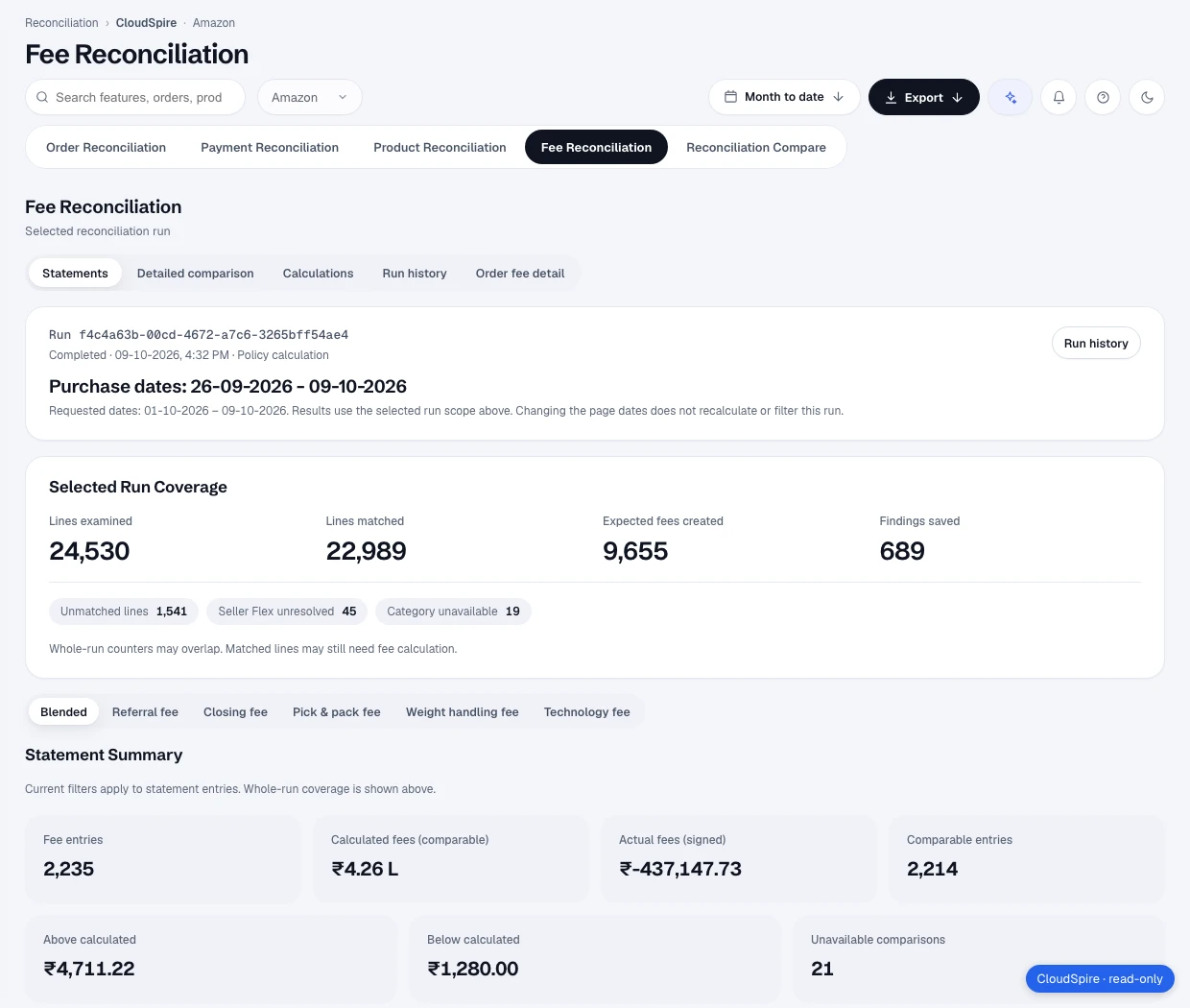
Fee Reco compares fees charged with Amazon’s expected fees by order and product, and splits the result into perfect, over, under and not comparable.
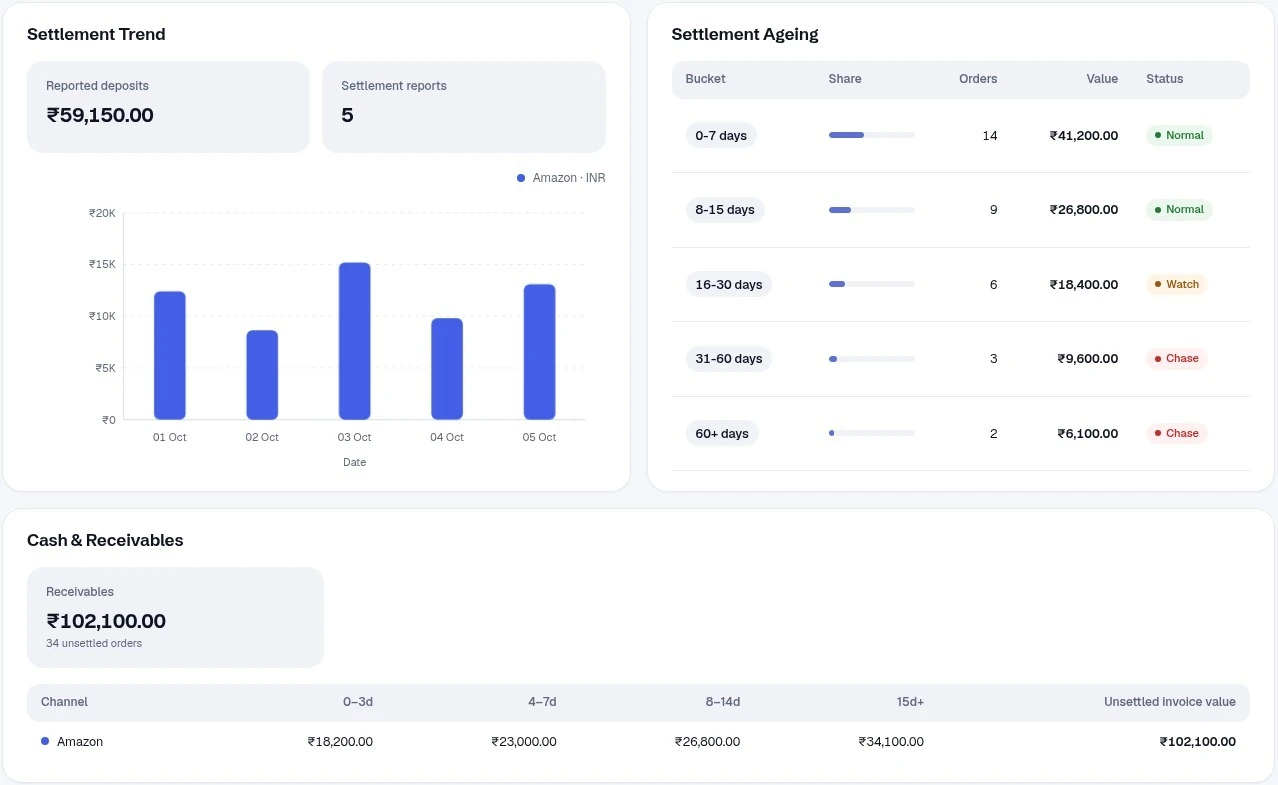
Settlement Ageing groups unsettled orders by age and marks the older buckets Chase. The settlement register shows unmatched lines and discrepancies for each settlement.
Import health shows required-report coverage, missing report days, failed runs and how fresh each report is, so a gap shows up as a gap.
Returns, refunds and cancellations show return events, reasons, sellable and unsellable units and the cancellation rate.
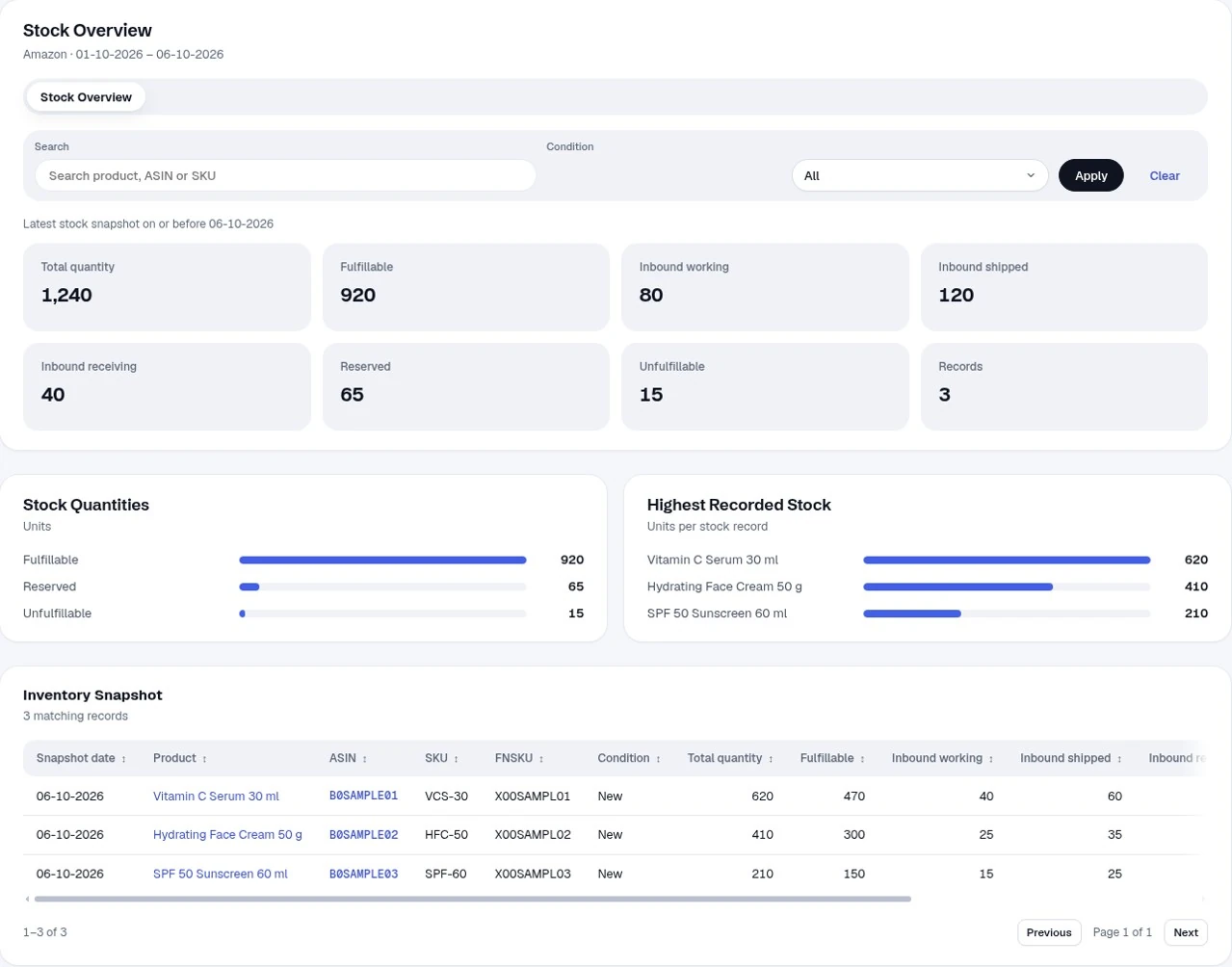
Stock Overview shows fulfillable, reserved, unfulfillable and inbound units. The Ledger lists movements by event type and fulfilment centre.
Anomalies compares a period with the previous one, with per-ASIN and per-brand drill-downs and a CSV download.
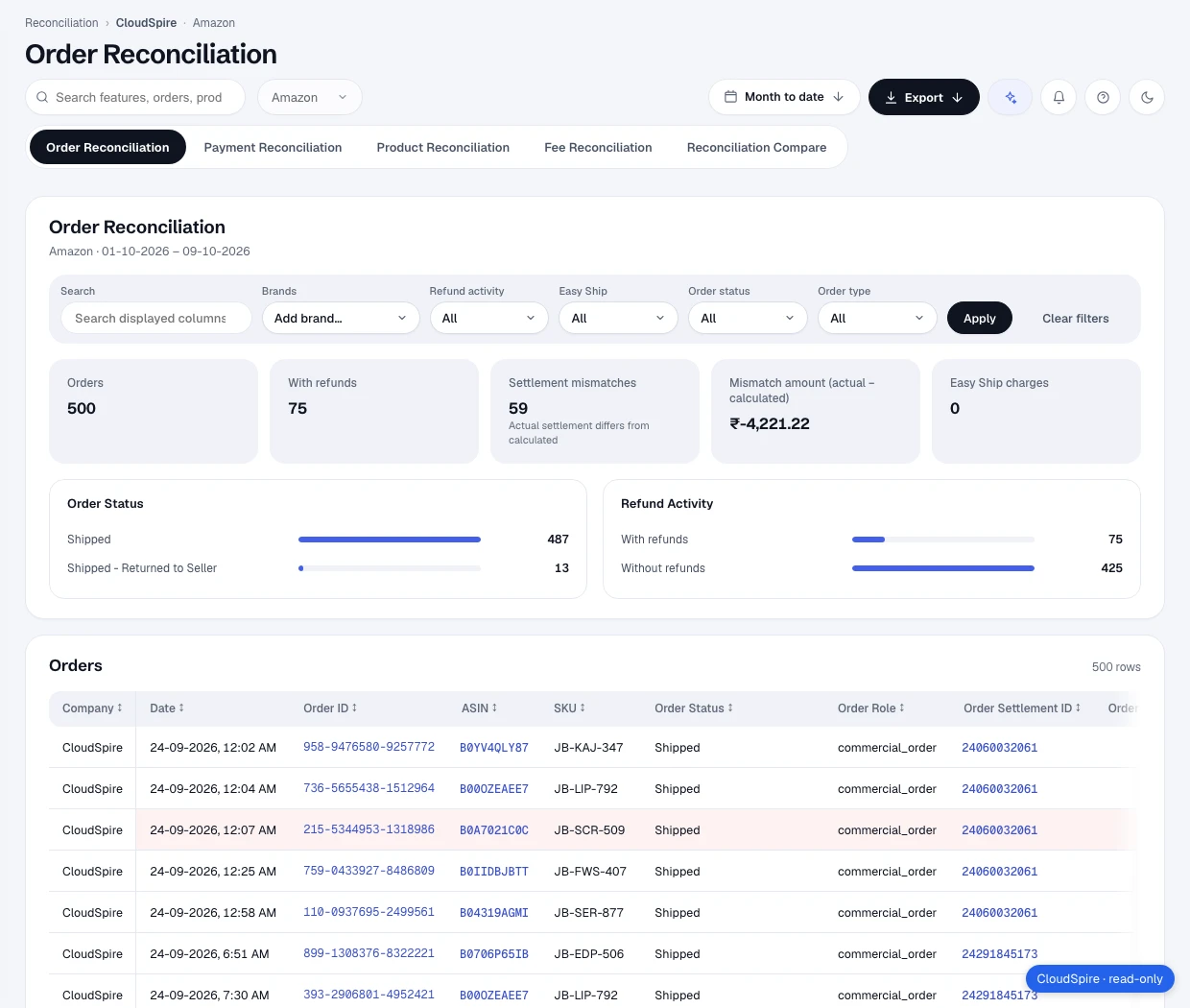
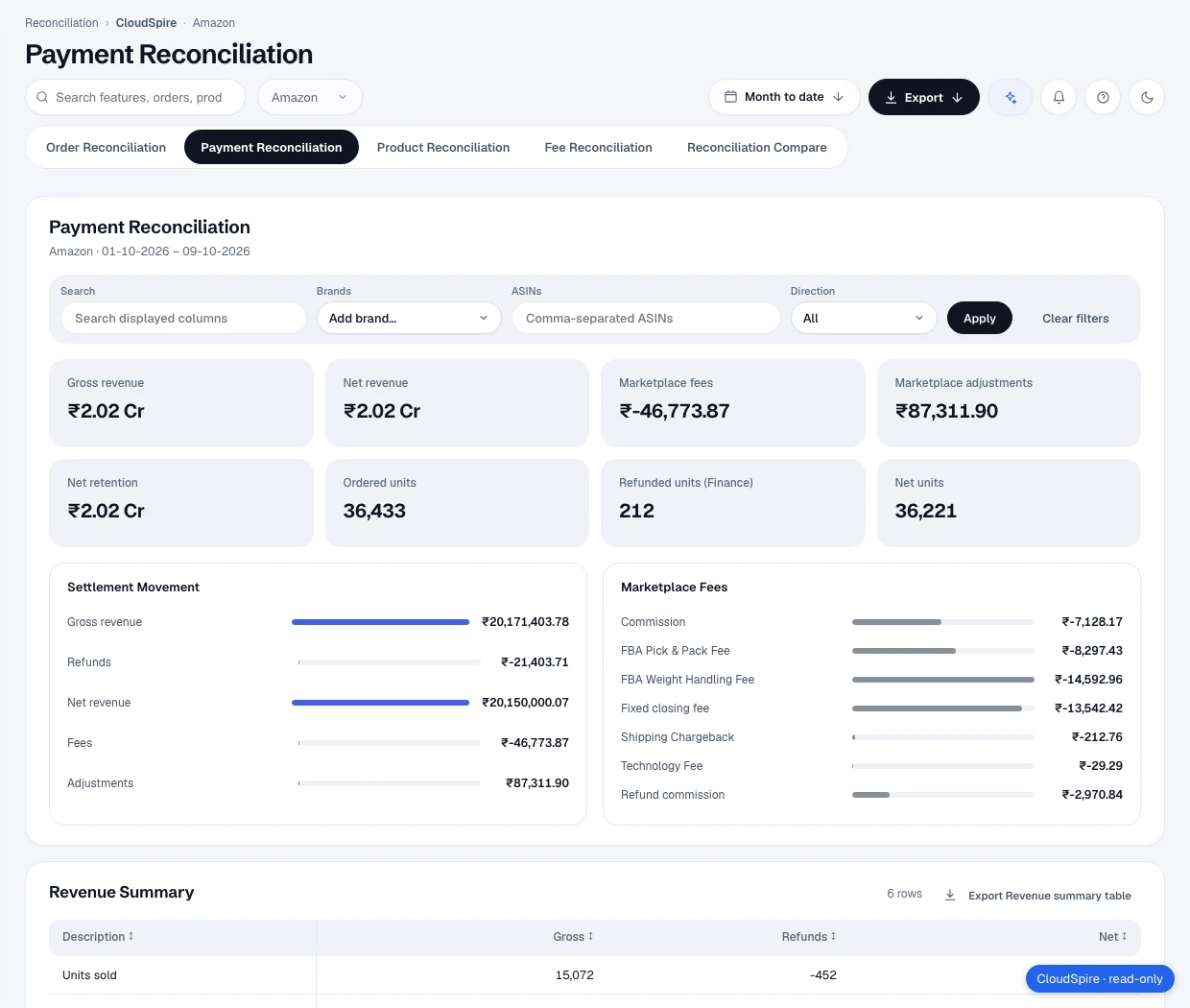
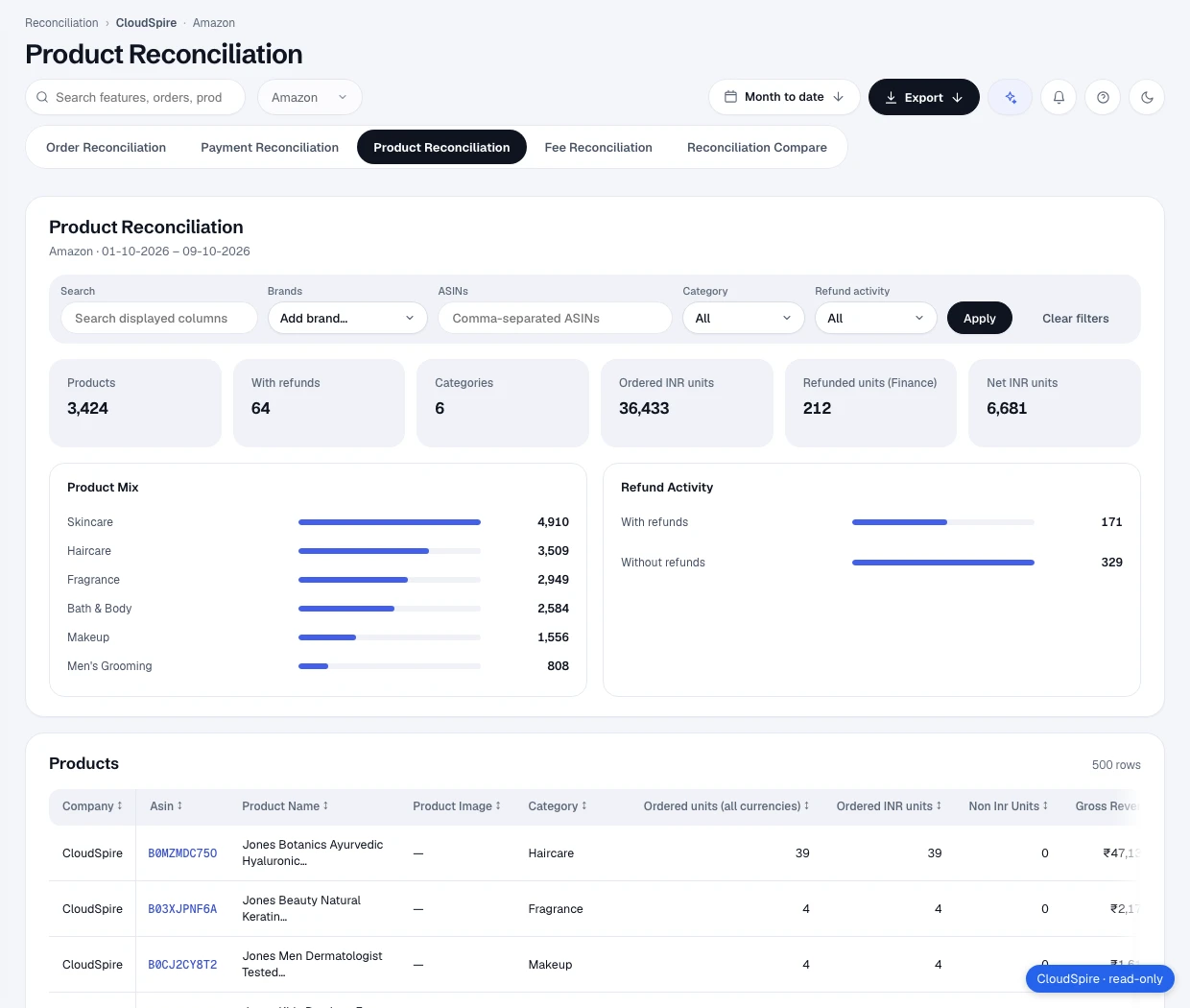
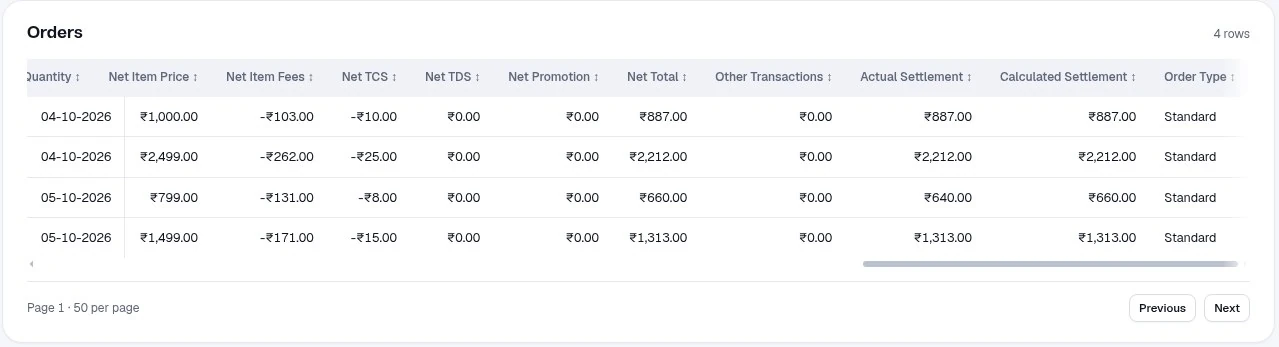
Reconcile by order, payment, product and fee, then use Compare and Exceptions to see what needs a look. The Orders table puts actual and calculated settlement side by side.
Settlement Ageing buckets unsettled orders by age. The settlement register lists each settlement with its lines, unmatched lines and discrepancies, and the order-wise view shows days unsettled.
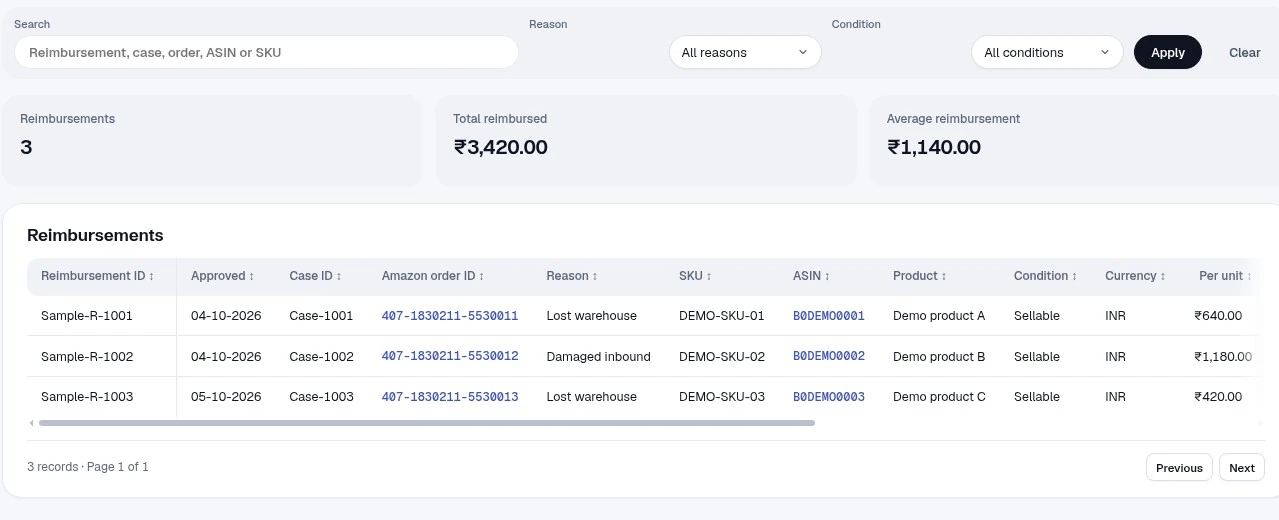
Reimbursement records list what was paid, with the reason, SKU, ASIN and condition.
Stock Overview, the Ledger and Warehousing cover stock. Returns, refunds and cancellations cover what came back, with reasons and sellable or unsellable units.
Shows which required reports have been imported and which are still missing, and says reconciliation is incomplete until they arrive.
Each report type is marked fresh, stale, overdue or never imported against its expected cadence.
Import Centre keeps a run history. You can upload a report or pull one from Amazon, and download the history as CSV.
Real PODS screens, sample figures added for this preview. Copy is provisional.
Charged against expected: perfect, over, under and not comparable.
Settlement Ageing, settlement register and order-wise settlement.
Reimbursement records by reason, SKU and ASIN.
Return events, reasons, dispositions and cancellations.
Stock Overview, Ledger, Warehousing and All Products.
A period against the previous one, with ASIN and brand drill-downs.
Run a fee reconciliation for a settlement or date range, and review tracked actions.
Import health, upload or pull a report, schedules and run history.
Talk to our sales team. Write to hi@positiveodds.in.